Home > Studio Wireless Gear Buyer’s Guide

Studio Wireless Gear Buyer’s Guide

Tattoo Pen – Studio Wireless Gear Buyer’s

Studio Wireless Gear Buyer’s Guide

A wireless tattoo pen changes how an artist moves around the chair, and the right tattoo pen machine decides how steady that movement feels through a full session. This guide is written for working artists, studio owners and first-time equipment buyers who need to compare power modes, stroke behaviour, motor design, battery routine and cartridge compatibility before committing to a model. Work through the criteria, match them to the way your chair actually runs, then check the verified specifications of the MO FINE 25 PRO spotlighted further down the page.

MO FINE 25 PRO Smart Adjustable Stroke Wireless Tattoo Pen Machine Professional Battery Machine

Wireless battery mode versus RCA power

Power workflow is the first thing to settle, because it decides where the machine can be used at all.

Wireless battery mode

The pen carries its own cell, so there is no cord running from the hand to a power supply. That matters for wrap hygiene, for photographing work in progress, and for guest spots where you do not control the bench layout.

The trade-off is routine: a battery has to be charged, tracked and rotated. Studios that work wireless normally run two cells per artist so the pen never waits on a cable, and they check remaining charge between clients rather than mid-session.

  • Best for guest spots, conventions and small private studios.
  • Best when artists share one bench and cable routing would be a hazard.
  • Ask for a bundled spare battery before you commit.

RCA / corded mode

An RCA connection ties the pen to a power supply and cord. It removes runtime anxiety for long sessions and gives a predictable, constant feed when a piece runs over several hours.

The cost is mobility and setup time. Cords need bagging, the bench needs a clear route, and the artist loses the free hand position that makes wireless pen work comfortable.

  • Best for long back pieces and full-day appointments.
  • Best where a machine may sit idle for hours between clients.
  • Confirm the RCA connector and cord are included, not optional extras.
Unleash Creativity with Adjustable Stroke MO FINE 25 PRO Smart Wireless Tattoo Machine

Why dual-mode matters for a studio

A machine that ships with both a battery body and an RCA connector lets one purchase cover a travelling guest spot and a long studio session. When you compare models, treat the bundled cable set as part of the price, not an afterthought — an RCA connector, RCA cord and USB-C charging cable in the box means the pen is usable on both workflows from day one.

Stroke and motor: matching the pen to the work

Stroke length is the single specification that most changes how a machine feels in the hand. Motor design changes how it sounds and how steady it stays.

Work type What the stroke does What to confirm before buying
Fine line and detail A shorter, tighter stroke keeps needle travel small, which suits controlled, close work. Does the machine reach the shorter end of its range, and can you change it without tools?
Shading and blending A mid-range stroke gives enough travel for smooth packing of tone without punching. Are the intermediate settings discrete, or only two extremes?
Packing solid colour A longer stroke moves more pigment per pass and covers area faster. Does the motor hold speed at the longer setting under load?
Soft / permanent-makeup style work Precise low-travel settings and a quiet motor matter more than raw power. Is the lowest setting fine enough, and is the machine quiet at low speed?
Lettering and small script Consistency across long straight lines is decided by stroke stability, not speed. Does the machine hold the same setting across a full session?
Unleash Creativity with Adjustable Stroke MO FINE 25 PRO Smart Wireless Tattoo Machine

One verified example: MO FINE 25 PRO

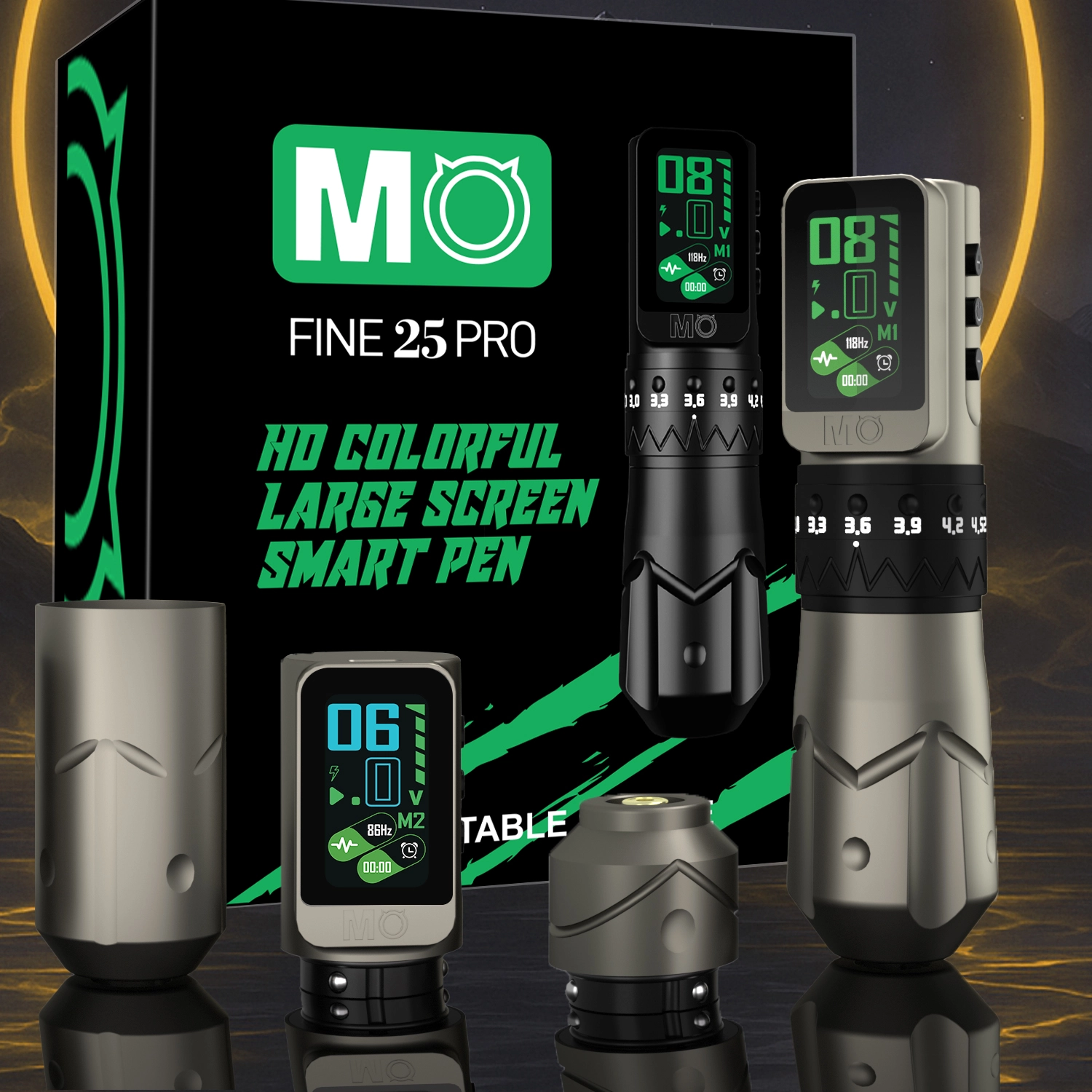
The MO FINE 25 PRO answers the stroke question with an adjustable range of 2.7mm to 4.5mm across seven settings — 2.7, 3.0, 3.3, 3.6, 3.9, 4.2 and 4.5mm. For a single-pen studio that means the short end covers detail and soft work while the long end covers packing, without a second machine on the bench.

The motor behind it is the MO 1827 Coreless Motor, 12V, 10000RPM. Because a coreless design carries no iron core, the pen is described as silent, powerful and low-noise in use — useful in a shared studio or a quiet private room.

Check stroke settings on the product page

Verified model spotlight: MO FINE 25 PRO

Model No.MDJ-269 — a smart wireless pen with adjustable stroke and a large HD colour screen. Every figure below comes from the product page.

Unleash Creativity with Adjustable Stroke MO FINE 25 PRO Smart Wireless Tattoo Machine

Unleash Creativity with Adjustable Stroke HD Large Screen MO FINE 25 PRO Smart Wireless Tattoo Machine

A single body weighing 258g in space aluminium alloy, sized at 39mm / 32mm diameter and 140mm length. It runs from an 1800mAh battery, carries voltage memory and a timing function, and accepts all universal tattoo cartridges.

  • Adjustable stroke 2.7mm–4.5mm with seven discrete settings
  • Large HD colour screen for on-pen control
  • Voltage memory keeps your preferred setting between sessions
  • Timing function tracks session time on the pen itself
  • Available in Black and Silver
  • Covered by a 12-month warranty
Unleash Creativity with Adjustable Stroke MO FINE 25 PRO Smart Wireless Tattoo Machine

Specification matrix

Model / No.No.MDJ-269
Adjustable needle stroke2.7mm–4.5mm (2.7 / 3.0 / 3.3 / 3.6 / 3.9 / 4.2 / 4.5mm)
MotorMO 1827 Coreless Motor, 12V, 10000RPM
Battery capacity1800mAh
Operation time4–6 hours
Charging time2–3 hours
DisplayLarge HD colour screen
FunctionsVoltage memory, timing function
Diameter39mm / 32mm
Length140mm
Weight258g
MaterialSpace aluminium alloy
Cartridge fitAll universal tattoo cartridges
ColoursBlack, Silver
Warranty12-month warranty

What each verified detail means at the bench

Specifications only help when you translate them into a working decision. These three tiles do that translation.

Unleash Creativity with Adjustable Stroke MO FINE 25 PRO Smart Wireless Tattoo Machine

Handling: 258g in aluminium

A space aluminium alloy body at 258g sits in the range most artists describe as balanced rather than tip-heavy. The 39mm / 32mm step between body and grip gives a natural place to hold without gripping harder as the day goes on. Decision: if you already work long sessions, weigh this against any pen you currently find tiring by hour four.

MO FINE 25 PRO Smart Adjustable Stroke Wireless Tattoo Pen Machine Professional Battery Machine

Control: screen, memory, timer

The HD colour screen keeps voltage visible without turning away from the client. Voltage memory restores your preferred setting after a power cycle, and the timing function lets the pen track session length itself. Decision: these three features mainly save you from reaching for a separate controller mid-piece.

MO FINE 25 PRO Smart Adjustable Stroke Wireless Tattoo Pen Machine Professional Battery Machine

Kit: what arrives in the box

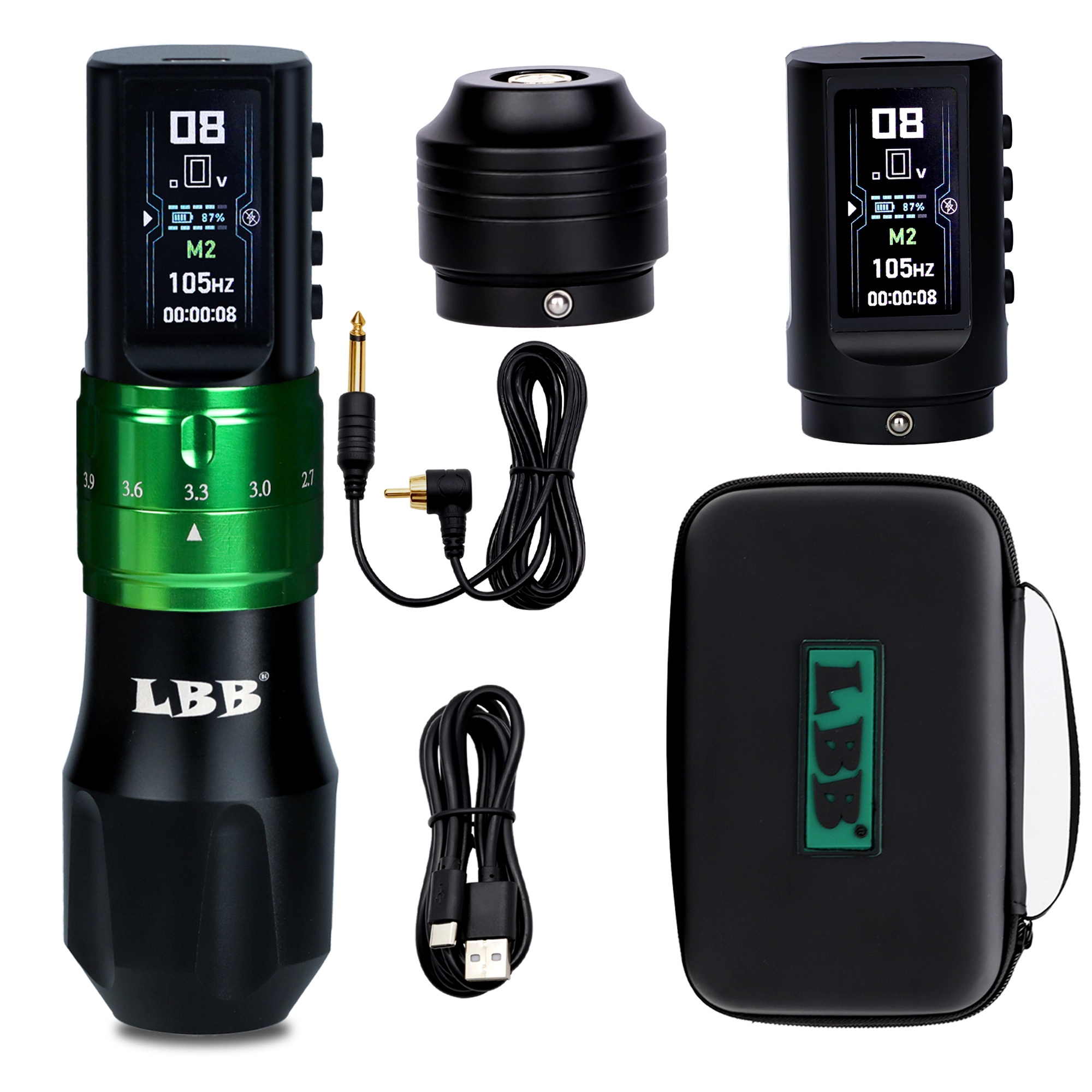
Colour screen wireless tattoo pen ×1, extra battery ×1, extra grip ×1, RCA connector ×1, RCA cord ×1 and USB-type C cable ×1. Decision: the spare battery plus the RCA set means the same purchase covers wireless sessions and corded all-day work without a second order.

Scenario to specification: how different buyers should decide

Find the situation closest to your own, then read across to the specification that actually settles it.

Unleash Creativity with Adjustable Stroke MO FINE 25 PRO Smart Wireless Tattoo Machine
Your situation Specification that decides it Buying decision
Solo artist covering detail through to packing Adjustable stroke 2.7mm–4.5mm, seven settings Buy one adjustable pen instead of two fixed-stroke machines.
Guest spots and conventions 1800mAh battery, 4–6 hours operation, USB-C charging Carry the spare battery so a full day never depends on a socket.
Full-day sessions on large pieces Included RCA connector and RCA cord Run corded for the long middle of the session, wireless around the edges.
Artist with hand fatigue 258g, 39mm / 32mm diameter, 140mm length Compare against your current pen in the hand, not on paper.
Studio buying for several chairs 12-month warranty, bundled battery and grip Standardise on one model so spares and charging routine are shared.
Soft / permanent-makeup style work Lowest stroke setting plus coreless motor behaviour Confirm the short end of the range suits your finest work before ordering.

Studio buying checklist before you order

Six checks that stop a pen purchase from becoming a returned order.

  1. Confirm the stroke range covers your work. Write down the shortest and longest stroke your average week needs before comparing models.
  2. Count your batteries, not your sessions. One cell plus a spare covers a full day when charging takes hours rather than minutes.
  3. Check the cable set in the box. An RCA connector, RCA cord and USB-C cable should be listed, not assumed.
  4. Match cartridges to studio stock. Universal cartridge fit avoids opening a second supply line.
  5. Read the warranty term. A 12-month warranty is the baseline for a machine used daily.
  6. Plan the spares order. Grips and batteries wear first; ask about replacements when you buy, not when you need them.

Related Reading

Three notes to help clarify product requirements before contacting the supplier.

Battery and RCA Cable Power Modes in Wireless Tattoo Machines

Battery power and RCA cable power each fit different studio workflows, and the RCA power input is a separate port from the USB Type-C charger.

Read article

1800mAh Battery Runtime and Charging in Wireless Tattoo Pens

A wireless tattoo pen's rated 4-6 hour runtime shifts with voltage, load, screen use, and battery condition, while charging speed is a separate number to judge.

Read article

Coreless Motor Torque and Vibration in Wireless Tattoo Pens

A coreless rotor changes how quickly a wireless tattoo pen answers changes in load and how much vibration reaches the hand, and both effects come with real limits.

Read article

Frequently Asked Questions

what information is shown for this product?

review the product details, images, and specifications presented on the official product page.

where can i check the intended application?

use the application and use-case information published on the official product page.

which specifications should i confirm before ordering?

confirm the specifications and options listed for the exact product variant before placing an order.

where can i check available options?

check the official product page or ask the supplier about options shown for the selected product.

how can i request product information?

use the official contact or inquiry path provided on the site.

what should i include in an inquiry?

include the product page, intended use, required quantity, and any specifications you need the supplier to review.